Every warehouse task. One powerful Android app.
Put accurate, paperless warehouse operations in your team’s hands. The StoreFeeder Android App guides staff through picking, goods in, stock transfers, stock takes and full scan despatch, using barcode validation to check the right products and locations at the point of action. Fewer manual steps. Fewer mistakes. A faster-moving warehouse.
- Eliminate printed pick lists
- Validate products and locations by barcode
- Guide staff through efficient workflows
- Despatch directly from the PDA
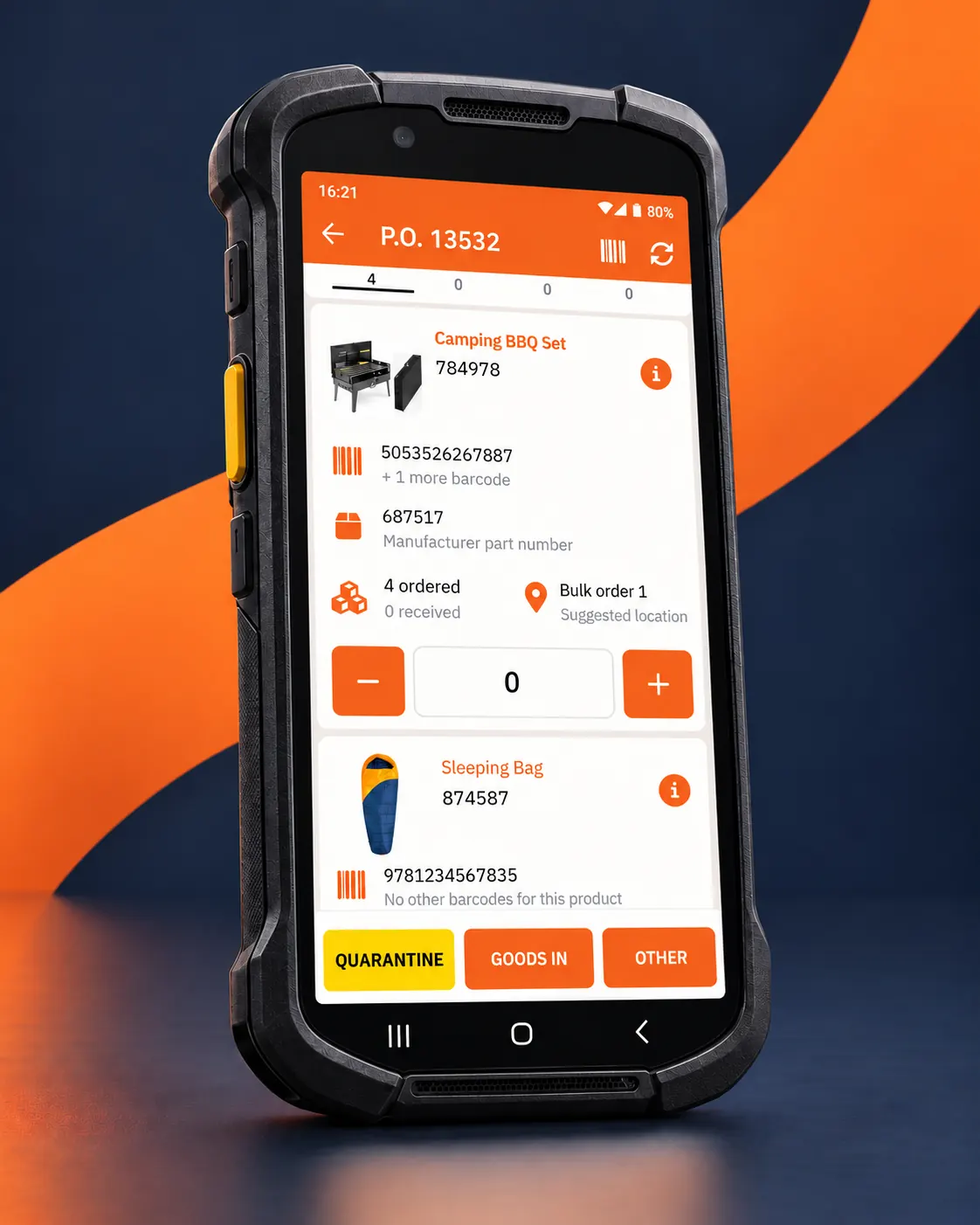
Accuracy, efficiency and a better route to paperless warehousing.
The StoreFeeder Android App goes well beyond visibility. It is designed for the warehouse floor, helping teams pick, transfer, receive, validate, despatch and count stock from a handheld device. That means fewer paper-based steps, fewer manual updates and a more reliable operation.
Eight warehouse workflows, one connected Android app.
Below are the core workflows supported through the StoreFeeder Android App, using your real app screens and keeping the focus on accuracy, efficiency and paperless execution on the warehouse floor.
Built for warehouse actions, not just visibility
The StoreFeeder Android App is designed first for warehouse work. Staff can sign in and get straight to operational tasks such as picking, transfers, goods in, validation, stock takes and despatch, while managers also benefit from a simple sales and warehouse overview.
- One Android app for core warehouse workflows
- Sales visibility is available, but operations come first
- A practical starting point for paperless working
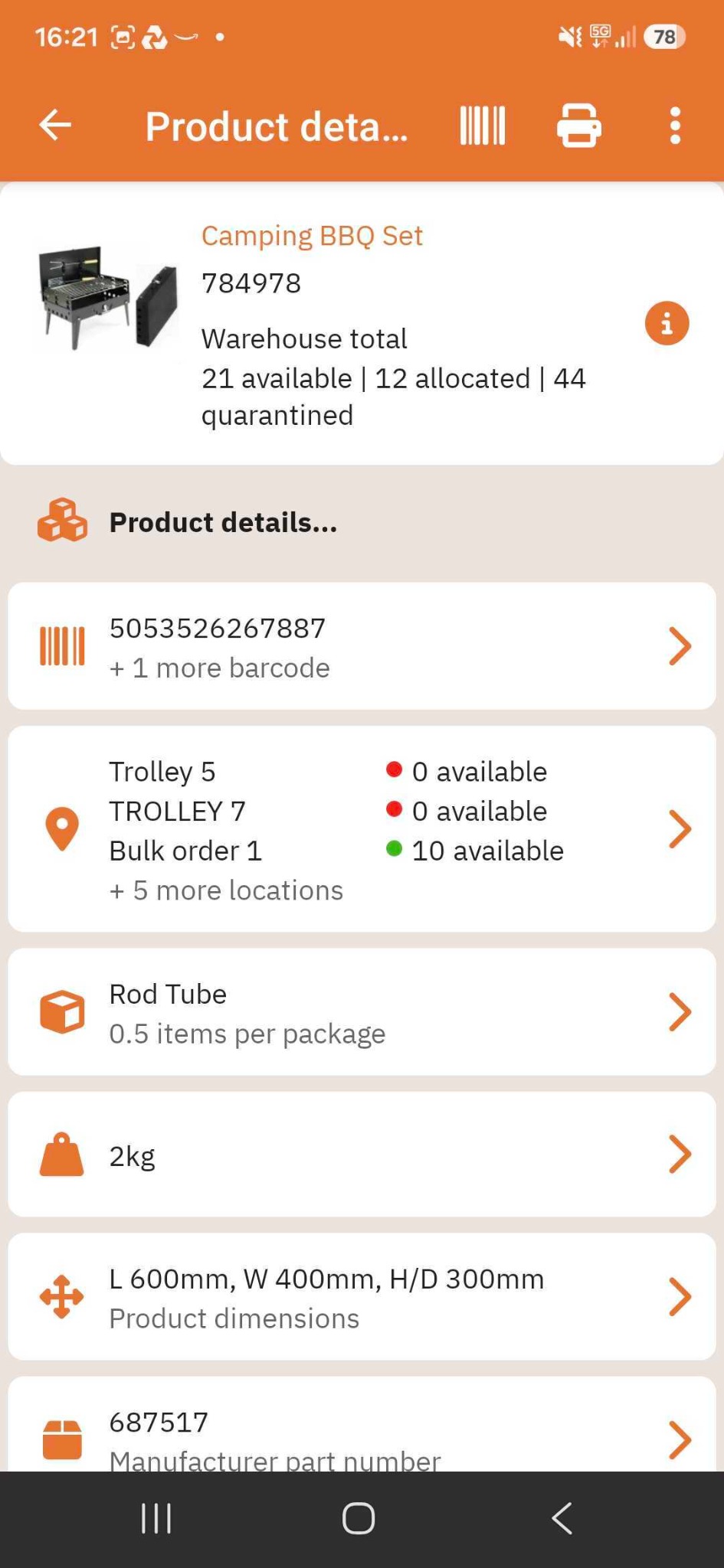
Scan products and locations to get the detail you need
By scanning a product or location, your team can quickly see barcodes, stock positions, quantities, packaging details, dimensions and other core information. That makes it easier to answer questions on the warehouse floor and act immediately.
- Interrogate products and locations by scan
- See stock positions and live warehouse totals
- Support quicker, more confident warehouse decisions
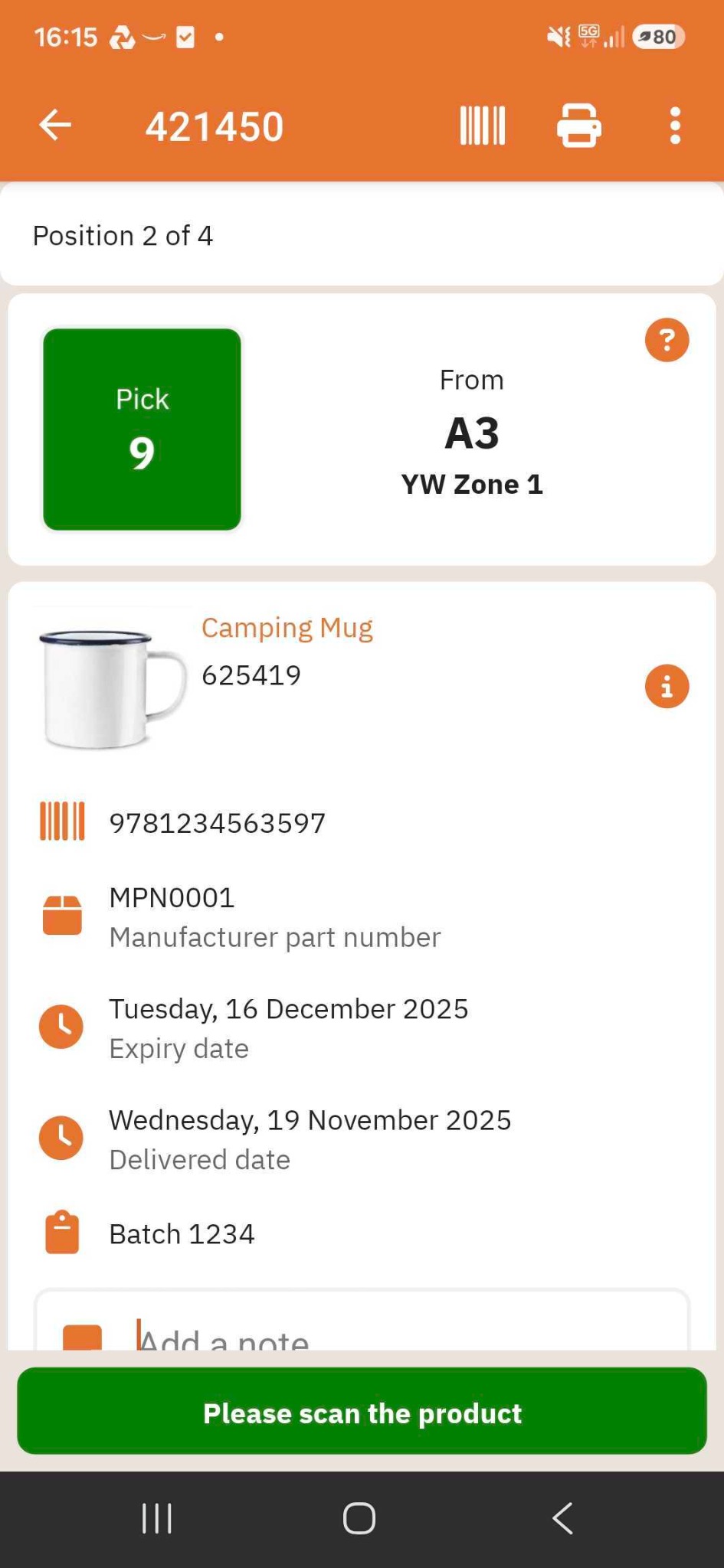
Guide pickers through the warehouse with barcode accuracy
Picking is guided in an efficient route, with staff prompted to go to the right location and confirm the right item. Barcode validation helps make sure what is being picked matches what should be picked, reducing errors before they reach the customer.
- Efficient guided pick routes
- Validate products and locations by barcode
- A stronger alternative to paper pick lists
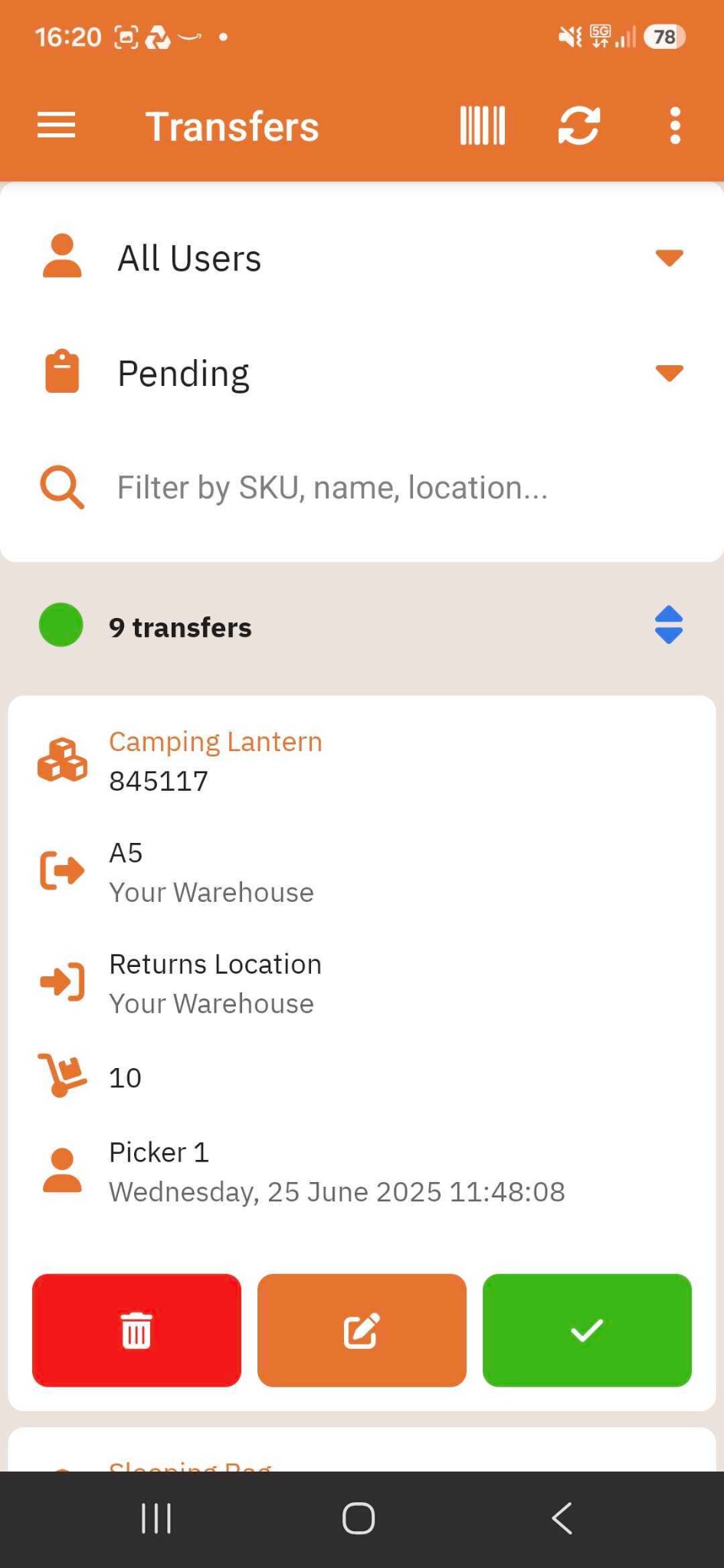
Create transfers or carry out preloaded transfer tasks
Use the app to create stock transfers on the go or complete transfers that have already been prepared for staff. Every movement is recorded at the point of action, helping the system and the warehouse stay in sync.
- Create immediate transfers in the app
- Carry out pending transfers already allocated to staff
- Keep stock in the right place with live movement updates
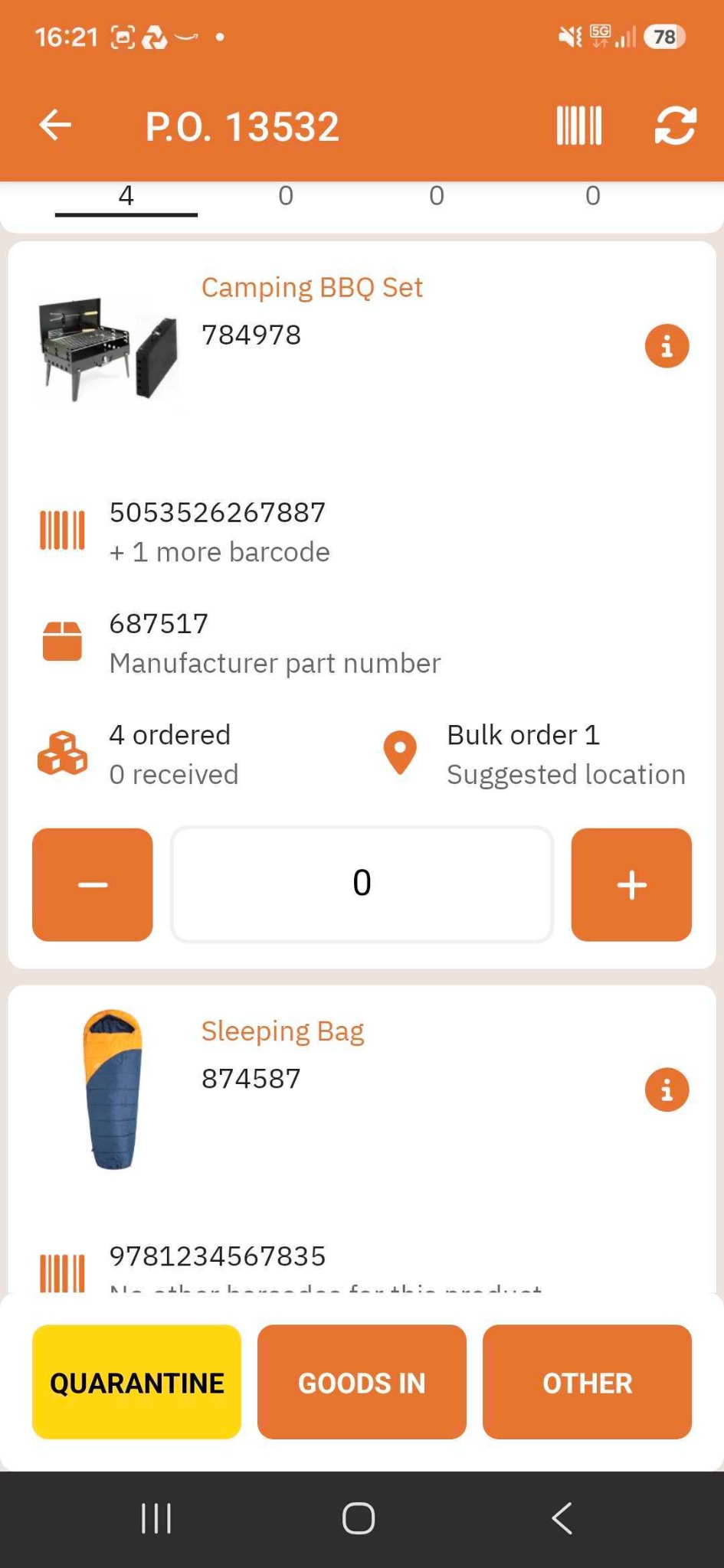
Receive inventory faster and direct it to the right place
Book stock in on the handheld, confirm quantities and move goods into the appropriate next step. Whether that means goods in, quarantine or another location, the app helps teams process inbound stock with less paperwork and more control.
- Receive and confirm quantities on the handheld
- Support downstream movement to the correct area
- Reduce manual handling and rekeying during intake
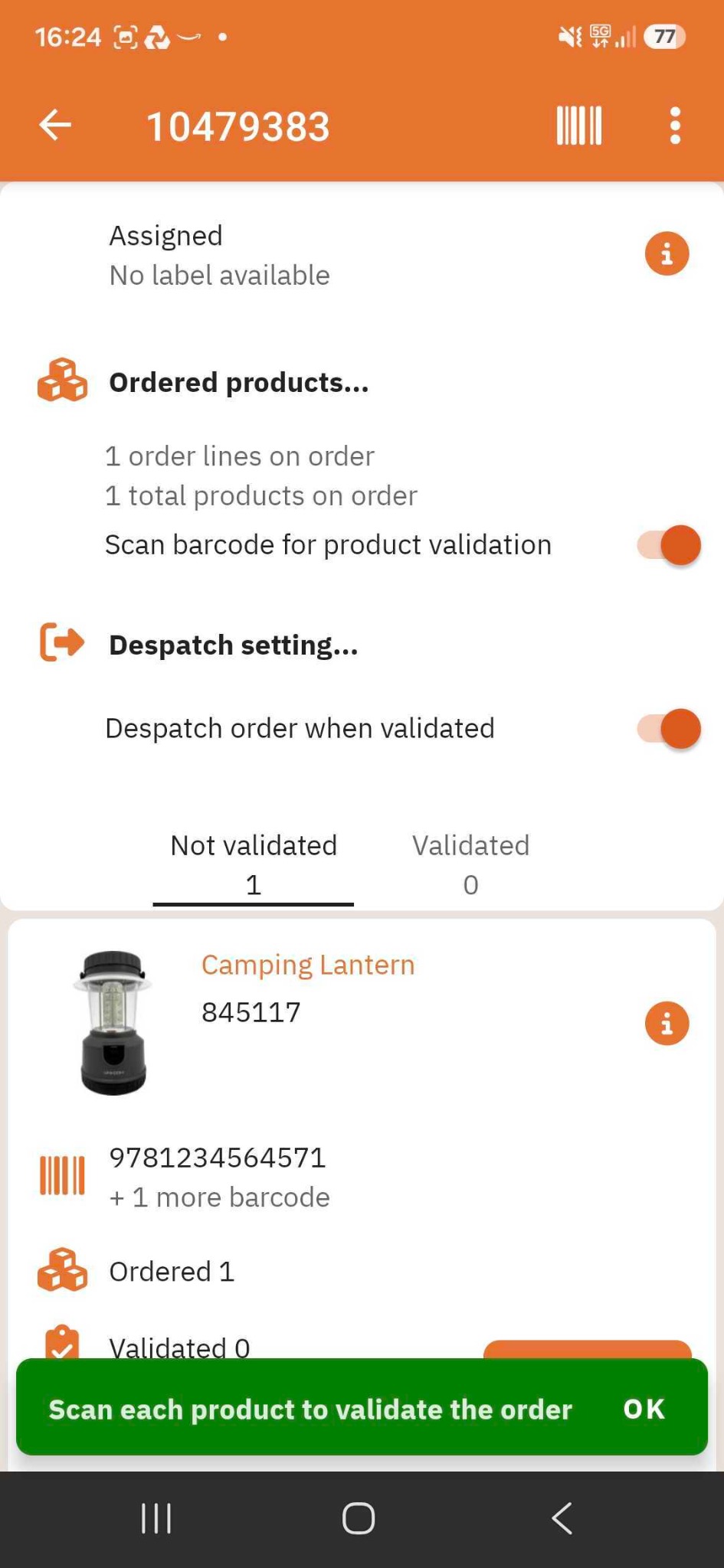
Add a straightforward validation step for single orders
For single-order workflows, the app provides a basic validation process. Scan each product against the order before it progresses so staff have an extra barcode-based accuracy check without needing a fixed packing station for every task.
- Barcode-led order validation
- Useful for one-by-one order handling
- Extra reassurance before despatch
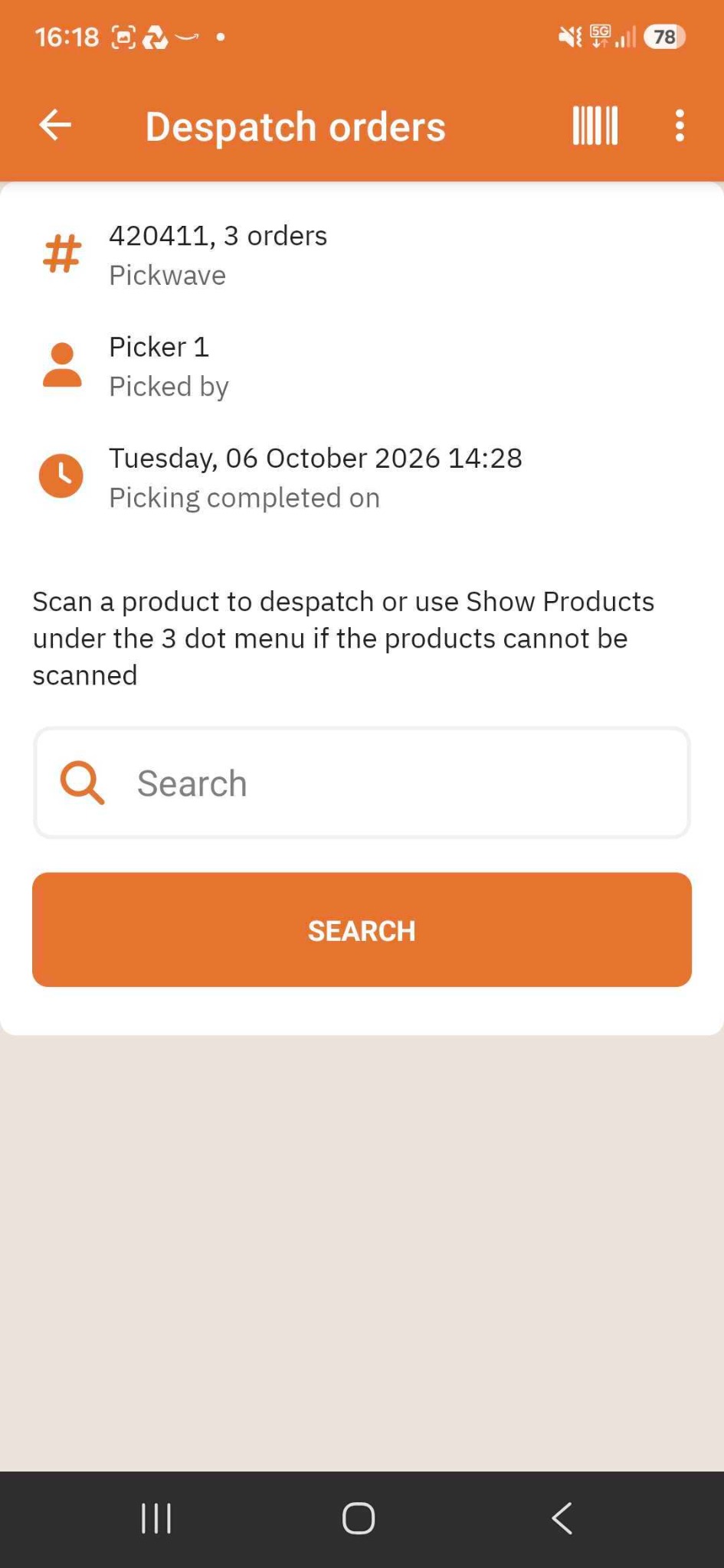
Scan. Validate. Print. Despatch. No PC required.
Run full scan despatch directly on the PDA. Connect the label printer, scan products to validate the shipment and complete despatch from the handheld, reducing reliance on a bench PC and moving another process away from paper.
- PDA-only despatch workflow
- Connect a label printer and despatch on the handheld
- Scan and validate orders before they leave
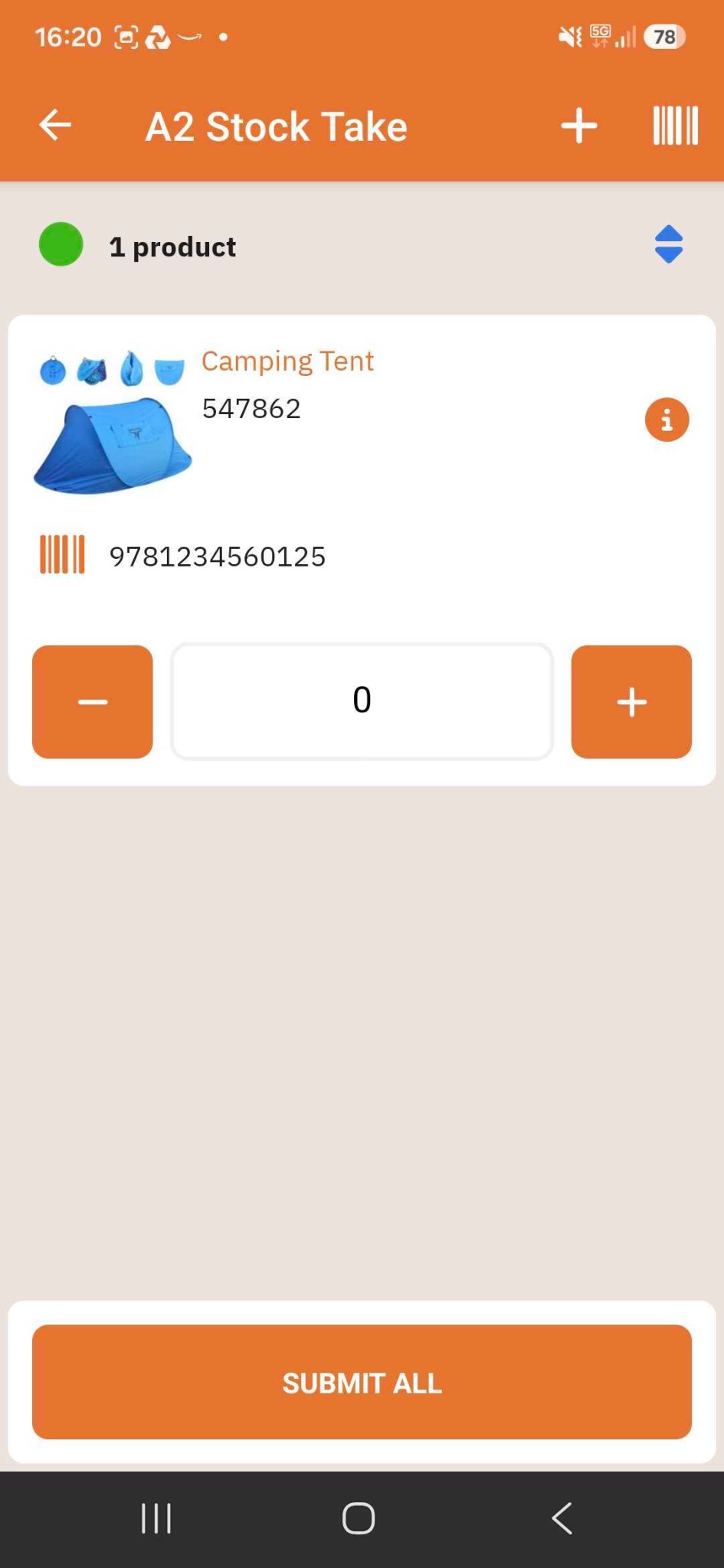
14 types of stock take, handled through the app
Because picking, transfers and other warehouse tasks are managed digitally, stock takes can be more flexible too. The app supports 14 types of stock take, helping teams count stock when needed without routinely bringing the whole operation to a stop.
- 14 stock take types
- Count stock on the handheld device
- Support accuracy without stopping the warehouse
An app that fits the way your warehouse actually works.
Choose your workflow
Managers view the overview; staff open the task they need to complete.
Follow the guided steps
Scan a location, product or order and follow the appropriate prompts.
Validate and complete
Pick, receive, transfer, check, count or despatch on the handheld.
Keep StoreFeeder updated
The recorded action supports accurate inventory and operational visibility.
Frequently asked questions
Can the app handle despatch without a PC?
Yes. Full scan despatch can be carried out on the PDA, including connecting to a compatible label printer, validating orders and printing labels.
Can managers use the app as well as warehouse operatives?
Yes. The app includes a sales and warehouse overview for business owners and managers, alongside the operational workflows for warehouse teams.
Can staff create their own stock transfers?
Yes. Staff can create immediate transfers on the handheld or complete transfers that were prepared in advance.
How many stock take options does the app support?
The app supports 14 types of stock take. The appropriate method depends on the counting task and warehouse process.
Does the app replace the desktop StoreFeeder platform?
No. The Android app extends StoreFeeder into the warehouse, enabling tasks to be performed where the work happens, while the wider platform continues to manage the operation.

A more accurate warehouse that uses less paper.
The Android App helps move core warehouse processes away from paper-based lists and manual updates. That improves speed and traceability, while also cutting printing costs, reducing admin time and supporting more sustainable warehouse operations.
- Paperless picking and despatch
Pick, validate and despatch from a handheld device instead of relying on printed paperwork. - Fewer delays between action and update
Stock movements are recorded as they happen, so the system reflects the physical warehouse more accurately. - Lower admin and printing costs
Reduce the need for printed lists, rekeying data and chasing down handwritten notes. - Better for sustainability goals
Less paper, less ink and fewer wasted reprints all contribute to a greener operation.
Barcode-led workflows help teams validate products, locations and stock movements before mistakes become customer issues.
Staff complete tasks where the work happens, with less back-and-forth to printers, desks and PCs.
Digital workflows support a more environmentally friendly warehouse with lower consumable usage and less waste.
See how StoreFeeder works in your warehouse.
From barcode picking to stock movement and live inventory, discover how your team can work with greater accuracy and fewer manual steps.
Book your free demo ↗