Count your stock.
Keep the warehouse moving.
Stay accurate every day.
StoreFeeder helps warehouse teams run stock takes and cycle counts without turning inventory control into a full operational shutdown. Count on the handheld, investigate discrepancies quickly and keep stock records aligned with the work already happening in the warehouse.
- Handheld stock takes and cycle counts
- Count by location, product or defined scope
- Investigate discrepancies with product interrogation
- Keep stock accuracy tighter between full counts
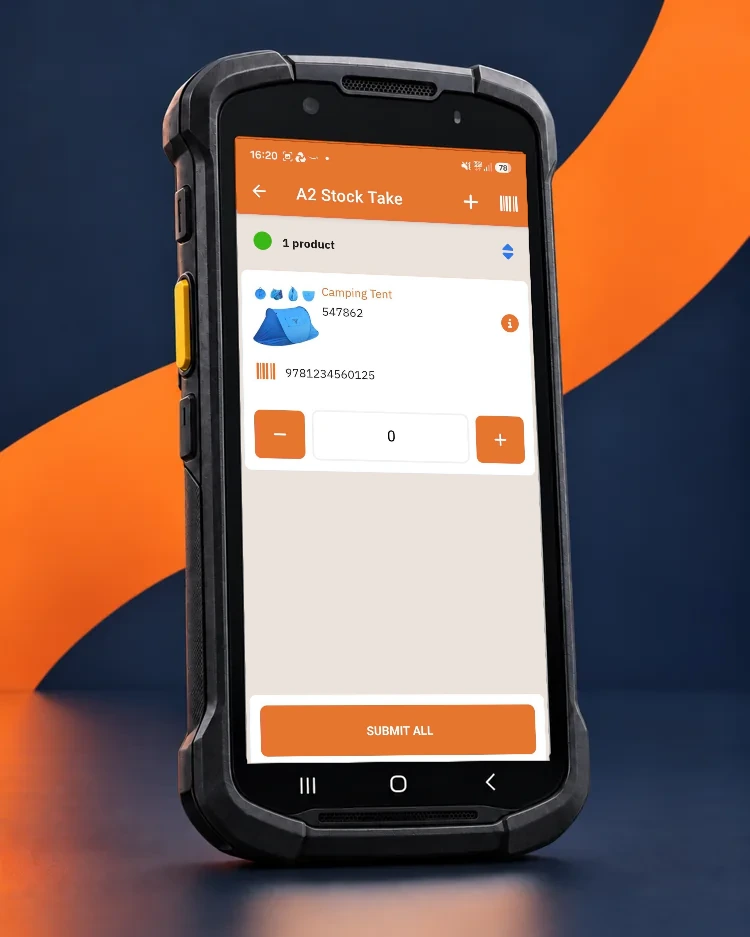
A stock take should not mean stopping the business.
The more accurately goods in, picking and transfers are recorded day to day, the easier counting becomes. StoreFeeder gives teams a practical way to run focused stock takes and routine cycle counts while the wider warehouse keeps working.
Count what matters, when it matters.
Instead of relying on a disruptive once-a-year event, teams can count smaller areas, products or exceptions as part of normal warehouse control. That helps you catch drift earlier and build stronger confidence in live stock figures.
The goal is simple: make stock accuracy a routine discipline, not a recovery exercise.
Choose the location, products or scope to review.
Work at the shelf instead of from paper lists.
Record the result and investigate variances quickly.
Everything you need to count accurately without creating unnecessary disruption.
Put the count in the hands of the warehouse team.
StoreFeeder presents the stock take task on the PDA, so staff can count where the stock actually is. Product details, barcode context and quantity controls are visible on screen, helping teams work at the shelf rather than transcribing from paper and keying results back later.
- Count stock at the location instead of from printouts
- See the product and barcode context while counting
- Submit the count from the handheld workflow
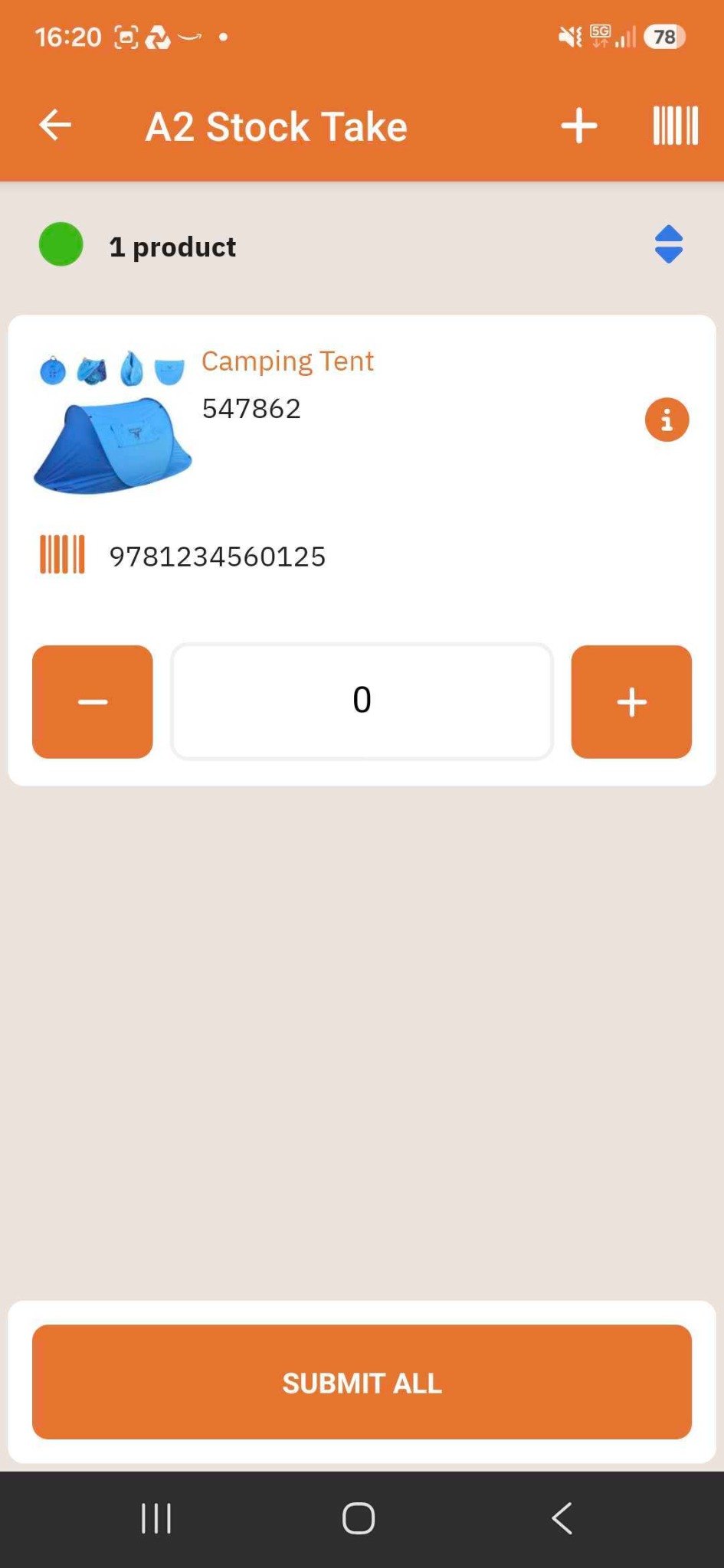
Turn stock accuracy into a routine, not a shutdown.
Cycle counting gives you a controlled way to check stock in manageable slices. Rather than waiting for one major event, teams can keep reviewing selected areas, products or exceptions as part of normal operational discipline.
- Count smaller portions of the warehouse more often
- Fit checks around the live operation
- Spot stock drift earlier and act before it spreads
When something does not look right, interrogate it.
A discrepancy is easier to resolve when staff can quickly review the product record, barcodes and locations involved. StoreFeeder helps teams understand what the system shows before deciding what action to take.
- Review barcodes and multiple location holdings
- See useful product details while investigating
- Support better decisions on stock adjustments
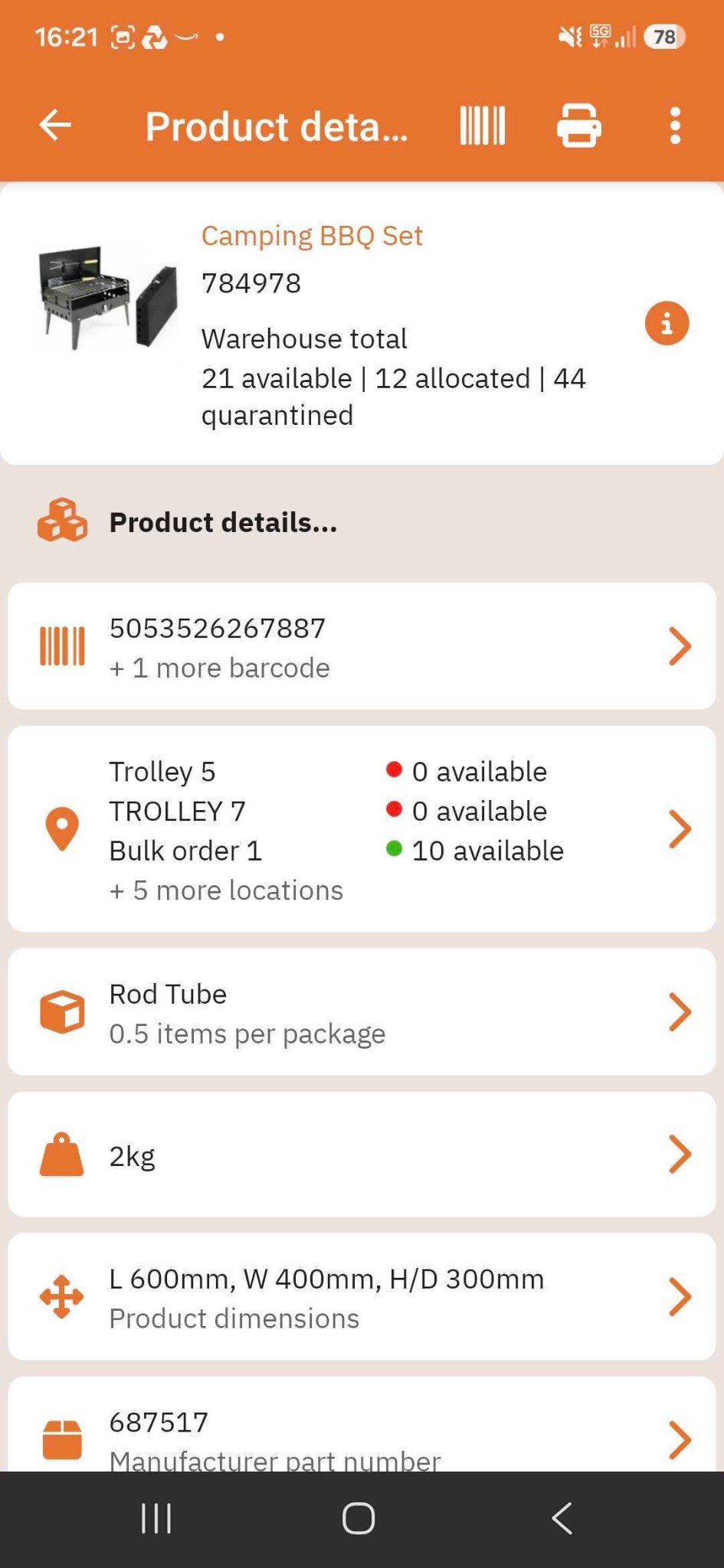
The best stock take starts before the stock take.
Stock takes and cycle counts work best when they sit inside a wider barcode-led warehouse process. If goods in, picking and transfers are already being recorded properly, there is less hidden movement to unravel when it is time to count.
- Reduce the hidden movement that makes counts harder
- Build more confidence in live stock positions
- Make count day a control point, not a rescue mission
14 stock take modes to help you count the right stock at the right time.
StoreFeeder is not limited to one generic stock count. The app supports 14 different stock take modes, giving you practical ways to focus attention where accuracy matters most. You do not always need to count everything. Often, you just need to count the areas most likely to create problems.
Stock take modes
Choose the count that fits the situation, from broader stock checks through to highly targeted cycle counts.
Empty locations
Check bins and locations the system believes are empty, so you can confirm they really are clear and spot stock that has been left behind or missed.
Fast selling products
Focus on products that are moving quickly right now. These lines are often the ones where stock accuracy matters most for service and availability.
Reported pickwave stock problems
If a picker reaches a location and cannot pick the full requested quantity, StoreFeeder can direct staff to check that stock and investigate the discrepancy.
Do not wait for a yearly stock take to discover a daily problem.
Cycle counting works best when supported by disciplined daily scanning. Counting should confirm control, not reveal chaos. The more reliably stock movements are captured across the warehouse, the easier it becomes to trust what the next count tells you.
Stock takes, product interrogation, picking and transfers all work better when they support one connected inventory process.
Investigate quickly.
Stay in control.
Frequently asked questions
Do we have to stop the warehouse to run a stock take?
No. The aim is to let teams count stock in a more controlled and practical way, without making every count a full operational shutdown.
Can we use cycle counting instead of waiting for one major stock take?
Yes. Cycle counting helps you review smaller parts of the warehouse more often, which can improve control and reduce the pressure on large, infrequent counts.
Do staff count directly on the handheld?
Yes. StoreFeeder supports counting on the PDA so warehouse staff can work where the stock physically sits, rather than relying on paper lists and later rekeying.
What if a discrepancy is found?
Teams can investigate the product and location details in StoreFeeder to understand what the system currently shows before deciding on the right follow-up action.
How does this fit with the wider StoreFeeder warehouse workflow?
Stock takes and cycle counting sit alongside goods in, picking, transfers, product interrogation and despatch. The wider those processes are recorded accurately, the easier it becomes to maintain inventory control.
See how StoreFeeder helps you count accurately without stopping the warehouse.
From cycle counting to broader stock takes, discover how barcode-led warehouse workflows help teams maintain stronger inventory control day after day.
Book your free demo ↗